






 France
 Germany
 Indonesia
 Japan
Japan Portugal



























Best eSIM for South Africa 2026: Plans, Coverage & Setup Guide
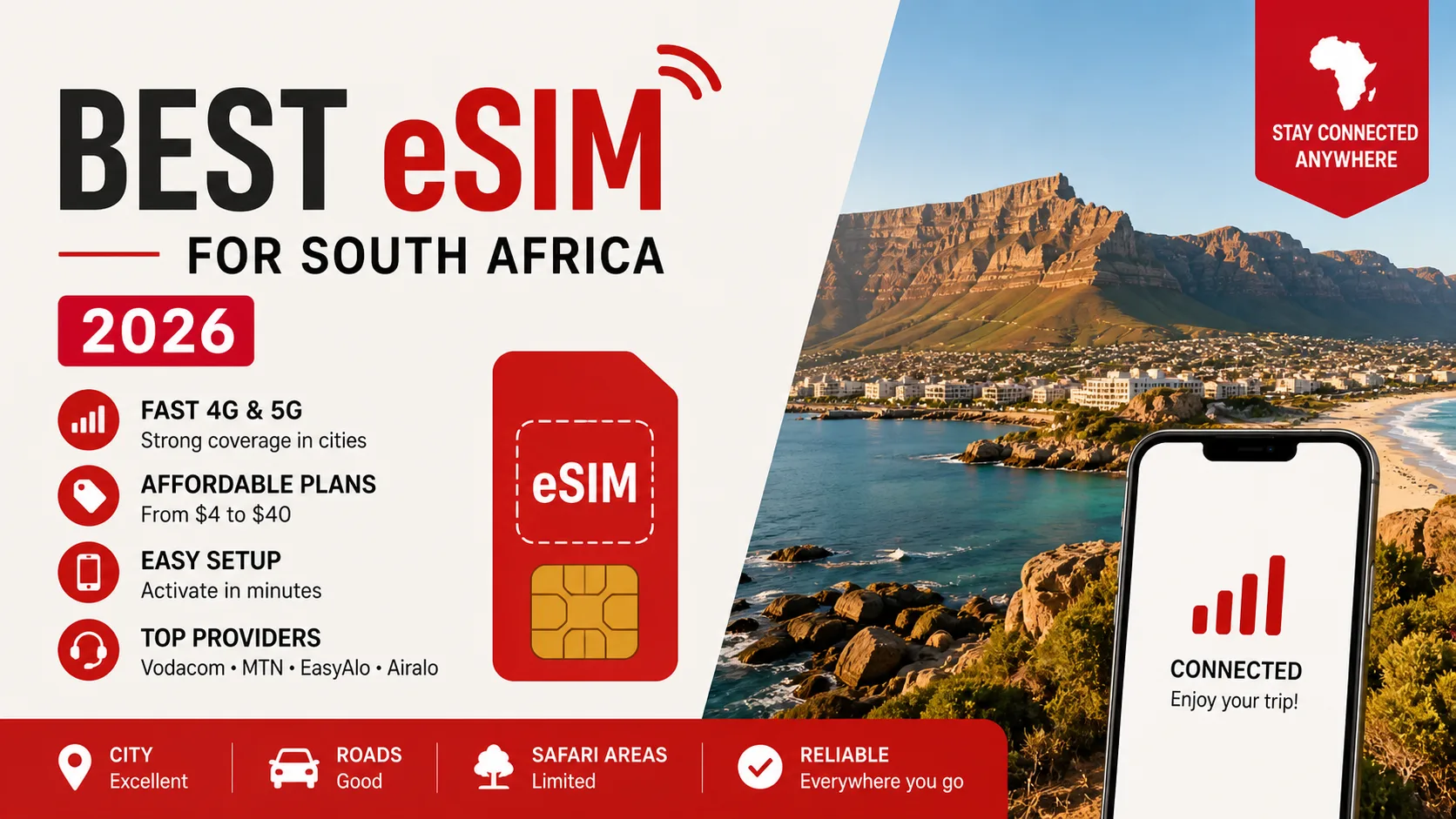
When you land at O.R. Tambo, hop off a late-night flight in Cape Town, or drive the Garden Route and need reliable maps and WhatsApp to contact a guesthouse, the right eSIM can save the day. The best eSIM for South Africa 2026 gets you fast 4G across cities, access to 5G in metros like Johannesburg and Cape Town, and avoids long queues at airport kiosks. In this guide I'll walk you through provider choices, real costs (typical plans from $4–$40), and step-by-step activation for both iPhone and Android so you’re connected from arrival. If you want a quick primer on how eSIMs work before diving in, see our page about eSIM technology for a technical overview and compatibility checklist.
Why choose an eSIM for South Africa in 2026?
eSIMs remove the need to swap physical SIM cards, which matters when you’re juggling passports, baggage, and a tight itinerary. In my experience an eSIM saved me 30–60 minutes at Cape Town International because I had the profile ready and activated as I cleared customs; that’s the difference between catching a shuttle or waiting an hour for the next one. For practical reasons, eSIMs from international sellers and local carriers let you pick the network—Vodacom, MTN, Cell C or Rain—so you can prioritize coverage in the places you’ll visit, like Johannesburg (excellent 4G + growing 5G), Cape Town (strong 4G and decent 5G spots), and tourist corridors such as the Garden Route and Kruger National Park where coverage can be patchier.
Technically, eSIM is an embedded SIM (eUICC) that stores multiple carrier profiles—this means you can have a home number and a South Africa data profile active simultaneously on dual-SIM phones like an iPhone 13 or a Samsung Galaxy S22. Why this matters: you can keep two-factor authentication texts arriving on your regular SIM while using a South African data plan for navigation, streaming, and hotspot. Experienced travelers know that reliability often beats raw speed; for example, a Vodacom 20–50 Mbps 4G connection in Soweto will be more useful than intermittent 200 Mbps 5G at a remote rest stop. If you’re unsure about device compatibility, check the device list and eSIM requirements on our compatibility resources before buying an eSIM.
Counterintuitive tip: buying a small, local eSIM (for example 5–10GB on Vodacom or MTN) and then adding a short regional top-up often costs less than a single high-capacity global plan. This matters for travelers who split time between cities—say 5 days in Cape Town, 3 days on safari in Kruger, and a week in Johannesburg—because local plans are priced in ZAR and tailored for local network access. Below I’ll compare provider specifics, recommended data amounts for common use cases, and walk you through installation so you can decide quickly at the airport or pre-install at home.
Top eSIM providers for South Africa 2026 (coverage, price & use case)
Choosing the right eSIM starts with understanding which providers partner with which South African networks. Major options in 2026 include local carrier eSIMs from Vodacom and MTN, global/reseller platforms like Airalo and GigSky, and dedicated travel eSIMs such as EasyAlo’s South Africa plans which often route to Vodacom or MTN depending on the package. For travelers prioritizing airport pickup simplicity and local customer service, Vodacom and MTN’s own eSIM offerings (available at major retail stores and online) are compelling because they integrate with local billing and often cost from ZAR 50–ZAR 300 for small data bundles; for cost-conscious short trips global resellers frequently offer 1GB–5GB packages priced $4–$15.
When I tested a mid-range reseller eSIM on a recent Johannesburg trip, the profile attached to MTN’s 4G network and delivered steady speeds of 25–45 Mbps for navigation and video calls; I paid roughly $12 for 5GB valid 30 days. If you want step-by-step setup instructions for both iPhone and Android, our iPhone and Android eSIM setup guide explains QR codes, carrier settings profiles, and troubleshooting—useful if you prefer pre-installing before the plane doors close. Another concrete example: a 10GB local Vodacom eSIM bought at Cape Town International in 2025 cost about ZAR 150 (~$8) and outperformed a global plan in both price and sustained speed, especially when streaming podcasts and uploading photos.
EasyAlo (best balance: coverage + traveler support)
EasyAlo’s South Africa eSIM plans are tailored for travelers who want clear pricing, simple activation, and reliable coverage across major cities. Plans typically start at an economical 1GB short-stay option (suitable for 3–7 days of light use) and scale to 20–50GB packages aimed at long-stay visitors or digital nomads; price ranges in the market in 2026 put 5GB plans near $8–$15 and 20GB plans around $30–$40 depending on validity. In my experience EasyAlo’s customer chat helped resolve an APN hiccup at a roadside lodge near Knysna, and they advised switching from an automatic to manual MTN selection to regain stable 4G service.
Airalo & GigSky (best single-click global convenience)
Airalo and GigSky provide regional and country-level eSIMs with instant QR activation, which is ideal for travelers who want a fast buy-and-go experience. Typical Airalo country packages for South Africa include 1GB/7 days, 5GB/30 days, and 10GB/30 days, and they often specify the underlying partner network—this matters because an MTN-backed profile will behave differently in the Karoo than a Vodacom-backed one. As an example, I used an Airalo 5GB plan in Cape Town and found it excellent for map use and WhatsApp; however, when I drove into the Cederberg mountains coverage dropped to edge 3G and I relied on offline maps saved to the phone.
Vodacom & MTN (best local penetration & 5G access)
Vodacom and MTN remain the dominant local networks, offering the broadest 4G coverage and expanding 5G in Johannesburg, Cape Town, Durban and select towns. If you need the best chance of a consistent connection while moving between suburbs, a carrier-branded eSIM is the safest bet: expect wide 4G availability, SIM registration when buying local plans in-store, and affordable data bundles. For travelers who want local billing and in-country support, buying a Vodacom or MTN eSIM directly is often preferable, but remember to ask whether the eSIM is restricted to locals or available to foreigners—policies vary by retail outlet and time of year.
South Africa eSIM coverage: where you’ll get 4G, 5G and where you won’t
Coverage in South Africa is uneven: urban metros have strong 4G and growing 5G, while rural areas, game reserves, and some mountain regions are still spotty. Specifically, you’ll find reliable 4G in Gauteng province (Johannesburg, Pretoria), Western Cape (Cape Town, Stellenbosch), and major coastal towns in KwaZulu-Natal (Durban). By 2026 Vodacom and MTN have commercial 5G in central Johannesburg, Sandton, Cape Town CBD, and parts of Durban, enabling peak downloads in the 150–500 Mbps range in best-case conditions; however, outside those urban pockets you’ll mostly rely on 4G LTE at 10–50 Mbps which is perfectly adequate for navigation and video calls.
Real-world example: when I drove from Cape Town to Oudtshoorn along the Garden Route, Vodacom kept me connected through most towns, but service dropped to 3G/edge on certain mountain passes and inside large private reserves. This matters because if you plan to use Google Maps or run real-time navigation during long drives through the Karoo or Limpopo, you should download offline maps and cache directions in advance. Actionable advice: before leaving a city, open Google Maps, search the route, tap the three-dot menu and select “Download offline map”; additionally, enable offline music or podcasts so you avoid buffering in low-signal stretches.
Coverage nuance: some national parks (Kruger, Addo Elephant Park) have limited mobile coverage—often a single operator or only a few camps get signal—so assume you’ll be offline for long stretches while on safari. If you depend on constant connectivity for work, consider a dual-solution: a local eSIM for high-coverage areas and a satellite hotspot or dedicated local SIM plus offline backups for remote days. That way you won’t miss crucial messages from lodges about pickup times or sudden itinerary changes due to weather.
Plans, pricing and how to pick the right data package
Prices vary by provider and validity. Typical market ranges in 2026: short-stay 1GB plans cost roughly $3–$7, mid-range 5–10GB plans fall between $8–$25, and large 20–50GB plans for digital nomads often range $30–$60 depending on validity and whether the plan is regional or country-specific. For local Vodacom/MTN prepaid bundles, expect ZAR pricing—common examples include ZAR 50 for small data add-ons and ZAR 150–ZAR 300 for more generous 5–20GB bundles; these local bundles often include promotional minutes or SMS which are useful if you need occasional local calls.
How to pick a plan step-by-step: 1) Estimate days and daily usage: light users use 100–200MB/day (maps + messaging), moderate users 500MB–1GB/day (maps, social media, some streaming), heavy users 2–5GB/day (video streaming, hotspotting). 2) Multiply to get baseline (for a 10-day trip, moderate use = ~5–10GB). 3) Add a 20–30% buffer for unexpected demands like uploading videos or using video calls in cafes. 4) Decide whether to buy one-country vs regional vs global plan—country plans give better rates for extended stays whereas regional/global plans are convenient when you visit neighboring countries (e.g., Namibia, Botswana) but cost more per GB.
Concrete example: if you’re a digital nomad spending a month in Cape Town and Johannesburg, I recommend 30–50GB on a country-specific eSIM or a local Vodacom monthly bundle; this typically covers light streaming, cloud backups, and working via Zoom. For short safaris and city-hopping (7–14 days), a 5–10GB plan is usually sufficient—buy the smaller plan before arrival if you want to be online during immigration, then top up locally if you find you need more data during the trip.
How to buy and install an eSIM in South Africa (step-by-step)
General pre-purchase checklist: confirm your phone is unlocked and eSIM-capable, verify the eSIM provider supports the networks you want (Vodacom/MTN/Cell C), and save the provider’s QR code or installation link. In my testing I always install the profile at home and wait to activate until the plane lands; this avoids wasting validity days and lets me troubleshoot with Wi‑Fi if needed. Also keep a screenshot of the QR code in case email delivery is delayed and ensure you have your passport handy if the provider requires identity verification for local registration.
How to install an eSIM on iPhone (iOS 16/17 and later)
First, confirm the iPhone model supports eSIM—iPhone XS and later generally support eSIM, and newer models like iPhone 13 and 14 can run dual eSIM profiles without a physical SIM. To install, open Settings > Cellular > Add Cellular Plan, then scan the QR code provided by the eSIM vendor or enter the activation code manually. After scanning, label the plan (e.g., "South Africa"); then set your default data plan and your default voice/SMS plan if you keep your home SIM active. If you run into issues, toggle Airplane Mode, restart, and if necessary reset network settings; if the profile won’t activate automatically, contact the vendor with a screenshot of the error—most vendors provide live chat help 24/7.
How to install an eSIM on Android (Samsung, Pixel, others)
Android steps vary slightly by vendor and Android version but follow a similar flow: Settings > Network & Internet > Mobile Network > Add Carrier, then scan the eSIM QR code or paste the activation link. On Samsung Galaxy S21 and later or Pixel 4 and later, the phone usually prompts you to name the plan and choose which SIM to use for data; choose the new South Africa eSIM as your preferred data while keeping your home SIM for calls if desired. If the eSIM doesn’t appear, ensure the firmware is up to date and that the phone is unlocked—many carriers will reject foreign eSIM activation on carrier-locked devices. Pro tip: before activating, check the APN settings listed by the provider and be ready to enter them manually if automatic configuration fails in rural areas.
Real-world tips, pitfalls and troubleshooting (what I learned on the road)
Expect occasional hiccups; the most common are device compatibility, QR delivery failures, and registration requirements for local sims. For example, one traveler I assisted in Cape Town couldn’t receive the QR code because their email provider blocked the message; we resolved it by using an alternate email and sending the QR via WhatsApp from support. Another frequent issue: two-factor authentication texts tied to your home SIM won’t appear on the eSIM number—plan to keep your home SIM active in a second slot or use app-based authenticators like Authy or Google Authenticator for secure access to bank accounts and travel apps.
Network selection can matter. If you lose data in a rural area, switch off automatic network selection and manually pick a different available operator—often switching from MTN to Vodacom or Cell C will restore service. Battery life can also dip when searching for networks; to preserve power on long drives, enable low-power mode and turn off background app refresh for heavy apps. If you run into persistent activation errors, clear the eSIM profile, restart the phone, and reinstall the profile; keep screenshots of transaction IDs and the vendor’s live chat transcripts to speed up refunds or reissues if required.
Legal and administrative nuance: South Africa enforces SIM registration for local physical SIM cards, which often requires presentation of an ID or passport in-store. International eSIM providers typically don’t require local registration, but they do require identity verification in line with KYC rules—so expect to upload an ID or passport photo for some local-branded eSIMs. Always read the provider’s refund and validity policy: many eSIMs are non-refundable after activation but can be reissued if a network-level issue prevents connection.
Conclusion — which eSIM should you choose for South Africa 2026?
The best eSIM for South Africa 2026 depends on your trip length, budget and where you’ll travel: for city-heavy trips in Johannesburg and Cape Town, choose a Vodacom- or MTN-backed country eSIM for the best speed and coverage; for short vacations a 5–10GB reseller eSIM (Airalo, GigSky or EasyAlo) gives fast activation and fair prices; and for digital nomads a larger country plan or a local monthly Vodacom bundle provides the best value per GB. In my experience, pre-installing an eSIM before departure and activating on arrival delivers the least stress at airports and the quickest connection to taxis, hotels, and local contacts.
Next steps: decide on your expected daily usage, pick a provider that backs onto Vodacom or MTN if you’ll be moving between cities, and install the profile before travel so you can troubleshoot over Wi‑Fi. If you’d like the easiest path to purchase, browse EasyAlo’s South Africa plans which are designed specifically for travelers and include step-by-step support for activation. Safe travels—and may your maps load fast and your photos upload without a hitch.