





 Italy
Italy Mexico
 United Arab Emirates
 United Kingdom





























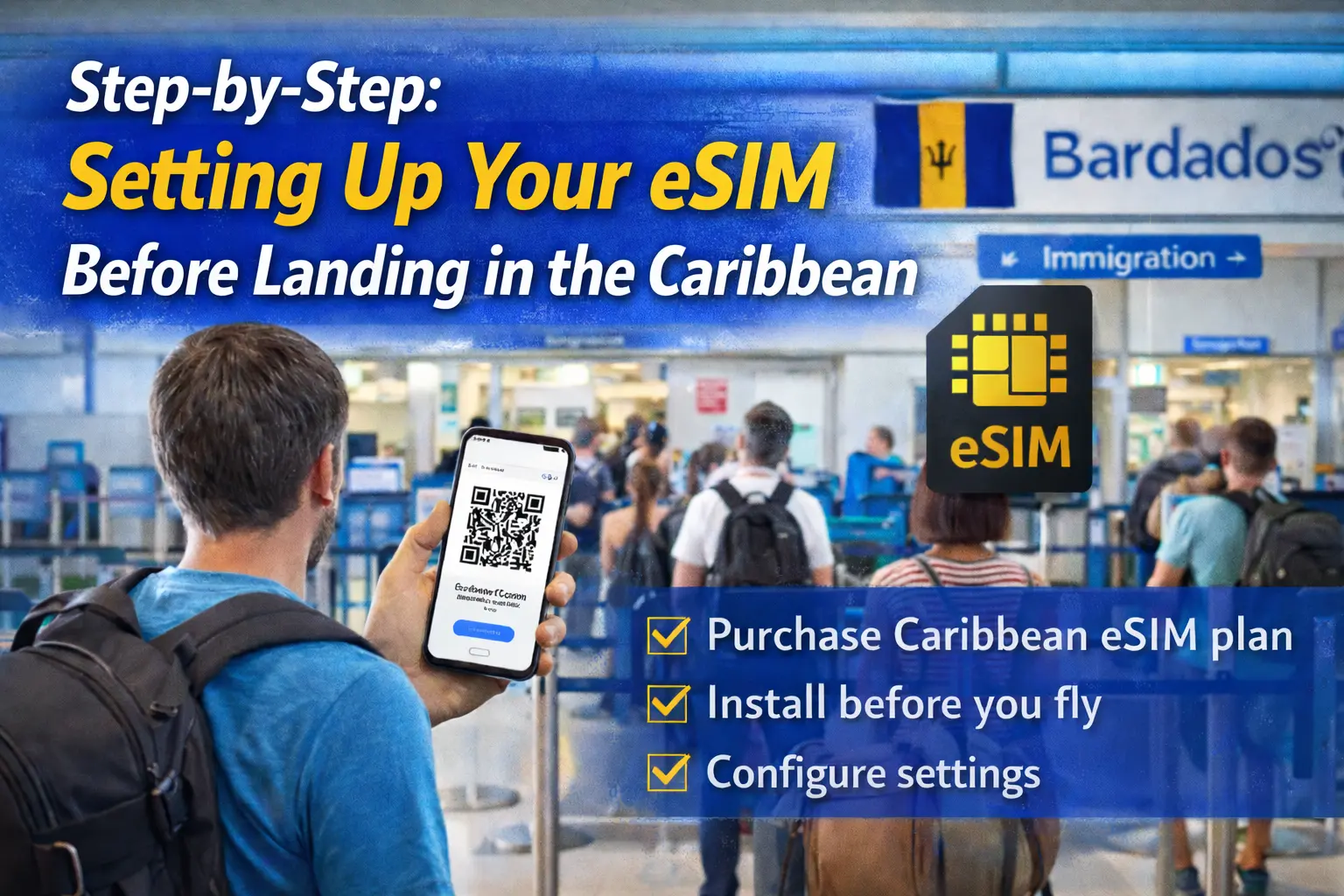
Step-by-Step: Setting Up Your eSIM Before Landing in the Caribbean
Picture this: you land in Barbados after a red-eye, shuffle off the plane, and the airport Wi‑Fi is crawling. You’re trying to message your guesthouse in Speightstown, pull up your Google Maps directions, and maybe grab a ride, but your phone is still stuck on airplane mode because you haven’t managed to set up eSIM for Caribbean travel yet. I’ve been that person standing by the immigration line, frantically hunting for a QR code in my email. The good news is you don’t have to be. With a little prep, you can install and configure your eSIM before you leave home, so your phone connects to a local Caribbean network the moment you land. In this guide, I’ll walk you through exactly how to do that, step by step, using EasyAlo’s digital SIM options and the same process I use when I travel with eSIMs for places like Mexico and Europe.
Why Setting Up Your eSIM Before Landing Matters
Getting your eSIM ready before your flight isn’t just a tech nerd preference; it genuinely changes how your first few hours in the Caribbean feel. When you arrive in places like Antigua, St. Lucia, or the Dominican Republic, the first 30–60 minutes are often the most stressful: immigration forms, luggage, finding your transfer, and trying to locate your Airbnb host who swears they’ll be waiting “just outside customs.” If you’ve already completed your travel eSIM setup instructions at home, your phone will latch onto a partner network as soon as you disable airplane mode, letting you message on WhatsApp, pull up booking confirmations, and check for any last‑minute gate changes during layovers.
In my experience, airports across the Caribbean are hit‑or‑miss when it comes to free Wi‑Fi. Grantley Adams International in Barbados and Sangster International in Montego Bay usually have functional Wi‑Fi, but it can be overloaded when multiple flights land together. Smaller islands like Antigua or St. Kitts often have more limited coverage, and sometimes you’ll only find a weak signal near one café. By preparing your digital SIM for Caribbean vacations ahead of time, you skip the scramble for a password or the hunt for a SIM kiosk that might not even be open when your late‑night flight arrives. If you’ve ever landed in a new country after 10 p.m. to find all the shops shuttered, you know how valuable that is.
There’s also a cost angle. Compared with standard roaming, an EasyAlo prepaid eSIM for international travel can easily save you 40–60% on data, especially if your home carrier charges per megabyte. European travelers are often shocked when they see how expensive out‑of‑zone roaming can be once they leave EU borders. Guides like the affordable Greece eSIM packages show the same pattern: fixed, upfront pricing is far more predictable than open‑ended roaming charges. The exact same logic applies to Caribbean trips. When you already know how much data you’ve bought and for how long, you’re not nervously refreshing your usage page every time you open Instagram Stories from the beach.
Finally, there’s the simple fact that airplane and airport time is rarely calm. Trying to scan a QR code on a shaky airplane tray table, with the person next to you needing to get past for the restroom, is not ideal. Nor is standing in the arrivals hall with sweaty hands, switching between settings menus and your email. Doing your setup the day before, on a stable home Wi‑Fi connection, means you can take your time, read each prompt, and double‑check that your eSIM is installed correctly before you ever step on the plane.
What You Need Before You Set Up eSIM for Caribbean Travel
Before you dive into the step by step guide to activating an eSIM for Caribbean travel, it’s worth making sure you have all the basic prerequisites in place. The first and most important is an eSIM‑compatible phone. Most Apple iPhones from the XS, XR, and later support eSIM, including the iPhone 11, 12, 13, 14, and 15 ranges. On the Android side, recent Samsung Galaxy S20 and newer, Google Pixel 4 and up, and many newer Xiaomi and Oppo models include eSIM support. If you’re unsure, EasyAlo maintains a detailed compatibility list similar to what you’ll find on destination pages like the Turkey eSIM plan guide, and it’s worth checking before you buy anything.
Next, your phone must be carrier‑unlocked. This often trips people up, especially travelers from the US who bought their phone on a contract with AT&T, Verizon, or T‑Mobile. If your device is still locked, you might be able to install the eSIM profile, but it won’t connect to the Caribbean partner networks, leaving you with a useless plan. The fastest way to check is to insert a SIM from a different carrier at home, or look under Settings > General > About on iPhone and scroll to “Carrier Lock.” If it says “No SIM restrictions,” you’re good. If not, you’ll need to contact your carrier and request an unlock, which can take anywhere from a few hours to a few days.
You’ll also need a stable internet connection during installation. This can be home Wi‑Fi, office Wi‑Fi, or even a solid 4G/5G mobile connection from your regular SIM. The installation process usually involves downloading a small eSIM profile file, but if your connection drops halfway through, you might end up with a partial install that requires a reset. From my own testing, a 10–20 Mbps connection is more than enough; the whole download is typically under a few megabytes and takes less than a minute when everything goes smoothly.
Finally, make sure you have your EasyAlo account login details and your eSIM confirmation email handy. After you purchase an eSIM for Caribbean islands, you’ll receive either a QR code, an activation code (SM‑DP+ address and activation code), or both. Keep this open on another device, like a laptop or tablet, or print the QR code if you prefer. Trying to scan a QR code from your own phone’s screen is one of those rookie mistakes that leads to five minutes of frustration and no progress. Having that second screen available makes everything smoother and lets you follow the travel eSIM setup instructions without constantly switching apps.
Step-by-Step: How to Install Your eSIM Before Your Caribbean Flight
Once you’ve confirmed that your phone is compatible, unlocked, and connected to Wi‑Fi, you’re ready to actually install your eSIM. The exact wording of menu items can vary slightly between iOS and Android, but the overall flow is very similar. I’ll break it down into clear steps and point out the small details that often catch travelers out. Think of this as your practical, no‑stress checklist for how to prepare eSIM on your phone before Caribbean vacation departures.
Step 1: Purchase the Right Caribbean eSIM Plan
The first decision is which plan to buy. Some EasyAlo eSIMs are country‑specific, while others cover multiple islands or even entire regions. For example, if you’re flying into Punta Cana in the Dominican Republic and staying put at a resort, a single‑country eSIM is usually the most cost‑effective choice. But if your itinerary includes island‑hopping between Barbados, St. Lucia, and Martinique on a cruise, a regional eSIM for tourists in the Caribbean that covers multiple networks will save you from juggling separate plans. Pay attention to the data allowance (for instance, 3 GB, 5 GB, 10 GB) and validity period (often 7, 10, 15, or 30 days), and be honest about your usage. If you stream a lot of TikTok or do frequent video calls, 3 GB for a week may not be enough.
When you purchase, you’ll be asked to choose a start date in some cases, while in others the clock only starts once you connect to a local network. EasyAlo typically follows the latter model, similar to how its regional plans in Asia work, as described in the Taiwan eSIM connectivity guide. That means you can safely buy and install the eSIM a few days before departure without “wasting” any of your validity. Still, read the plan description carefully so you’re not caught off guard by a plan that starts counting from the purchase date.
After checkout, you’ll receive an email from EasyAlo with your eSIM details. This normally includes a QR code image, a set of manual activation details (SM‑DP+ address and activation code), and a link to basic instructions. Save this email, screenshot the QR code just in case, and if you’re the cautious type, print a hard copy. Having multiple copies of your activation details is overkill until you’re that person whose phone dies mid‑flight and who’s suddenly grateful for the printed backup.
Step 2: Add the eSIM to Your Phone (iPhone & Android)
With your confirmation email ready, it’s time to actually add the eSIM profile. On iPhone, go to Settings > Mobile Data (or Cellular in some regions) and tap Add eSIM or Add eSIM Plan. You’ll see an option to use a QR code. Point your camera at the QR code on your laptop or printed page, and wait a few seconds while the phone recognizes it. On Android, the path is usually Settings > Connections > SIM Manager (or Network & Internet > SIMs), then Add eSIM, followed by Use QR code. Again, hold your phone steady over the code until it registers.
If for some reason the camera can’t read the QR code, you can enter the details manually. On iPhone, choose Enter Details Manually and type in the SM‑DP+ address and activation code exactly as shown in your email. Android offers a similar manual entry option once you tap through to advanced settings. This is where having that printed email or a second device really helps; you don’t want to be memorizing strings of letters and numbers. Once you confirm, your phone will connect to the EasyAlo server, download the eSIM profile, and ask you to label it—this is where you can name it something like “Caribbean eSIM” to avoid confusion later.
At this point, don’t worry if your phone shows “No Service” or connects to a random network at home. Until you arrive in the Caribbean and your plan’s coverage kicks in, it’s normal for the eSIM to appear inactive or to show limited connectivity. The key is that the profile is installed and visible in your SIM management screen. If you want a more detailed walkthrough for Apple devices specifically, the process is very similar to what’s outlined in EasyAlo’s complete iPhone eSIM activation guide, just with different destination networks on the backend.
Step 3: Configure Data, Roaming, and Line Settings
Installing the eSIM is only half the story; you also need to tell your phone how to use it. On iPhone, after the profile is added, you’ll be prompted to choose which SIM is your default line for calls and SMS, and which one handles mobile data. Most travelers keep their home SIM as the default for calls and texts, and set the EasyAlo Caribbean eSIM as the default line for mobile data. You can do this under Settings > Mobile Data, where you’ll see a section labeled Mobile Data and can select the new eSIM. On Android, you’ll find similar options under SIM Manager or Mobile Network, with toggles for “Preferred SIM for data.”
You’ll also need to enable data roaming for the eSIM line. This sounds scary if you’re used to horror stories about roaming charges, but remember: roaming is only expensive when you’re using your home carrier’s SIM outside its normal zone. With a prepaid eSIM for international travel like EasyAlo, you’ve already paid for a bundle of data, and data roaming simply tells your phone it’s allowed to use that data on partner Caribbean networks. Make sure data roaming is enabled for the eSIM and, if you’re nervous, disabled for your home SIM to avoid any accidental usage.
Finally, double‑check any APN (Access Point Name) settings provided by EasyAlo in your confirmation email or on your account dashboard. Most modern eSIMs configure APN automatically, but occasionally you’ll need to enter a name like “easyo” or “globaldata” under your eSIM’s mobile data settings. It’s a 30‑second task that can save you from 30 minutes of wondering why you have bars but no data once you land.
Step 4: Test and Verify Before You Travel
Before you zip up your carry‑on, it’s worth doing a quick sanity check that your eSIM is properly installed. You won’t be able to fully test Caribbean connectivity until you arrive, but you can confirm that your phone recognizes the eSIM and that the settings are correct. On both iPhone and Android, go back into your SIM management screen and make sure you see your home SIM and the new eSIM listed separately, each with its own toggle. If you labeled the eSIM “Caribbean eSIM” earlier, this is where that label will show up and reassure you that you’re not imagining things.
Some travelers like to briefly switch their default data line to the eSIM at home to see if it tries to connect. Don’t worry if it doesn’t; many plans only activate when they detect a supported network in the destination region. What you’re really checking is that toggling between SIMs works, and that your phone doesn’t throw any error messages like “eSIM not provisioned” or “No SIM.” If you do see those, it’s far easier to contact EasyAlo support and resolve the issue while you’re still at home than when you’re standing in the immigration line in San Juan.
As a final check, take a screenshot of your SIM settings and keep it in your photo roll. If anything goes weird after a software update or a random reboot during your trip, that screenshot is a handy reference for how things looked when everything was correctly configured. Experienced travelers know that having this kind of small backup often makes the difference between a five‑minute fix and a frustrating hour of guesswork.
Practical Tips to Make Your Caribbean eSIM Work Smoothly
Once the basics are in place, there are a few extra tricks that can make your eSIM experience in the Caribbean feel almost invisible—in a good way. One of the easiest wins is to download offline maps before you fly. On Google Maps, you can download areas for islands like Aruba, Jamaica, or Trinidad by searching the island name, tapping the three dots, and choosing “Download offline map.” That way, even if your eSIM takes a minute to connect after landing, you can still see where you’re going from the airport to your accommodation.
Another tip is to manage your background data usage, especially if you’ve chosen a smaller data package like 3 GB for 7 days. Apps like Instagram, TikTok, and cloud photo backups can quietly chew through hundreds of megabytes in the background. Before your flight, go into your phone’s data usage settings and restrict background data for the heaviest apps. On iPhone, you can also toggle off “Wi‑Fi Assist” so the phone doesn’t switch to mobile data when the hotel Wi‑Fi dips. This kind of small adjustment is exactly how travelers using regional plans in places like Indonesia, as covered in EasyAlo’s Indonesia eSIM data guide, stretch a 5 GB plan across an entire week.
If you’re traveling with a partner or family, consider using your phone as a hotspot, but do it intentionally. Most EasyAlo plans allow tethering, which is great when someone’s maps app refuses to behave or they forgot to buy their own plan. Just remember that hotspot usage can double your data consumption quickly, especially if laptops start auto‑updating apps in the background. Set a ground rule that devices connected to your hotspot should turn off automatic updates and streaming in HD, and check your remaining data every couple of days through your EasyAlo account dashboard.
Finally, keep your home SIM active for calls and SMS if you’re expecting important messages, like bank OTP codes or airline alerts. With dual‑SIM standby, your phone can receive texts on your home number while using data from the Caribbean eSIM. This is one of the underrated advantages of eSIM vs roaming for Caribbean travel: you get the best of both worlds—cheap local data and continuity on your usual number—without having to physically swap SIM cards in a cramped airplane seat.
Common Problems When Using a Digital SIM for Caribbean Vacations (and How to Fix Them)
Even with the best preparation, things occasionally go sideways. The good news is that most eSIM issues fall into a few predictable categories, and the fixes are straightforward once you know where to look. In fact, they’re so common that EasyAlo has a dedicated resource for them in its eSIM troubleshooting quick fixes guide, which is worth bookmarking before your trip. Let’s walk through the most likely problems you might face on arrival in the Caribbean and how to deal with each one calmly.
The first and most common issue is: you land, turn off airplane mode, and your phone shows bars but no data. You might see “4G” or “LTE” with an exclamation mark, or nothing at all. In this case, check that mobile data is actually enabled for the Caribbean eSIM in your settings, and that data roaming is turned on for that line. It’s surprisingly easy to forget that last toggle, especially if you’re used to keeping roaming off to avoid bill shock. If both are on, try a quick restart of your phone; this forces it to renegotiate with the local network and often resolves temporary glitches.
Another frequent problem is the phone connecting to a weaker partner network when a stronger one is available. For example, in some parts of the Dominican Republic, your eSIM might default to a network that has coverage but poor data speeds in that area. In your SIM settings, you can usually switch from “Automatic network selection” to “Manual” and choose a different partner from the list, such as Claro or Digicel, depending on your plan’s agreements. I’ve done this in Jamaica, where manually selecting the other available network instantly boosted my speed from a sluggish 2 Mbps to a very usable 20 Mbps for maps, messaging, and browsing.
Occasionally, you might see an “eSIM not provisioned” or “Activation failed” message, especially if you tried to install the profile over a flaky Wi‑Fi network. In that case, the safest fix is to delete the partially installed eSIM profile and reinstall it from your EasyAlo email using a more stable connection. Deleting an eSIM doesn’t cancel your plan; it just removes the profile from your device. As long as you still have your QR code and activation details, you can add it again. If you’re unsure, EasyAlo support can check the status of your plan and confirm whether it’s still ready to be reinstalled.
Finally, there’s the “my data vanished overnight” issue. If you suddenly burn through your allowance much faster than expected, check a few usual suspects: automatic app updates, cloud photo backups, and streaming in HD. Also confirm that your phone didn’t switch the default data line back to your home SIM after a reboot or system update, which can happen on some Android devices. By periodically checking which SIM is active for data, you avoid accidentally using expensive home roaming and keep your EasyAlo plan for the things that really matter, like navigation and communicating with your hosts.
eSIM vs Roaming for Caribbean Travel: What’s Actually Better?
At some point in your planning, you’ll probably ask yourself whether it’s worth going through the process of installing an eSIM at all. After all, your home carrier likely offers some kind of roaming package for the Caribbean, and the idea of just turning on your phone and having it work is tempting. The reality, though, is that for most travelers, especially those staying more than a couple of days, a dedicated eSIM for Caribbean islands is both cheaper and more flexible than traditional roaming. We’ve seen the same conclusion in other destinations—EasyAlo’s comparison for Greece, for example, shows clearly that a local plan beats home roaming by a wide margin, as outlined in its guide to avoiding roaming charges in Europe.
Roaming packages from major carriers often sound reasonable at first glance, with offers like “$10 per day for unlimited data” or “$70 for a week of roaming.” The catch is in the details: “unlimited” might be throttled after a few gigabytes, and those daily fees add up quickly on a 10‑ or 14‑day trip. A prepaid Caribbean eSIM, by contrast, gives you a fixed amount of data—say, 5 GB for 10 days—for a single upfront price. If you know you only need data for maps, messaging, and occasional browsing, that 5 GB might be more than enough, and you’ll avoid the creeping anxiety of not knowing what your final bill will look like when you get home.
There’s also the dual‑SIM advantage to consider. With an eSIM, you don’t have to choose between your home number and local data; you can keep both active. That means your bank verification codes still arrive on your usual number, while your Instagram uploads and Google Maps directions run through the Caribbean data plan. With physical SIMs, you’d have to either swap cards—risking losing your home SIM in a hotel room—or carry a second phone. For frequent travelers, this duality is one of the biggest quality‑of‑life upgrades that eSIMs bring.
That said, there are a few edge cases where roaming might still make sense. If you’re only in transit through a Caribbean hub for a single day, or if your company is paying for a corporate roaming package that truly is unlimited and hassle‑free, you might decide the convenience outweighs the savings. The key is to make a conscious choice rather than defaulting to roaming because it’s familiar. Once you’ve gone through the process of how to use eSIM for mobile data in the Caribbean a couple of times, it becomes second nature—and the combination of predictable costs and better control over your connectivity is hard to give up.
Final Checklist Before You Land in the Caribbean
As your departure gets closer, it’s helpful to run through a short mental checklist to confirm that everything is ready. First, make sure your eSIM is installed and visible in your phone’s SIM or mobile data settings, labeled clearly as your Caribbean line. Second, verify that your EasyAlo account shows your plan as active or ready to activate, with the correct region or islands listed. Third, check that data roaming is enabled for the eSIM and disabled for your home SIM if you want to avoid any accidental usage. These three steps alone cover most of the common pitfalls travelers face when they try to set up eSIM for Caribbean travel.
Next, take care of a few quality‑of‑life tasks. Download offline maps for your arrival island and any others you plan to visit. Save your accommodation address and booking confirmation in a notes app or as screenshots in case you need them at immigration. If you’re planning to work remotely from the Caribbean, test your VPN and any work apps on mobile data at home to make sure they behave well with a non‑home network. It’s also smart to let close contacts know that you’ll be reachable on your usual number via WhatsApp or iMessage, even though the underlying data is coming from your EasyAlo plan.
Finally, remember that if something does go wrong, you’re not on your own. Between your EasyAlo dashboard, the troubleshooting resources like the dedicated connectivity problem guide, and standard device tools like network resets, most issues can be fixed in a few minutes. Think of your eSIM as part of your travel toolkit, alongside your passport and credit cards. When it’s set up in advance, it quietly does its job in the background, letting you focus on the fun parts of your Caribbean trip instead of hunting for SIM kiosks or rationing expensive roaming data.
If you’re ready to make sure your next island arrival is as smooth as possible, the best way to install eSIM before your Caribbean flight is to follow the steps above a day or two before departure, while you’re still on reliable Wi‑Fi. Once you’ve done it once, you’ll wonder how you ever traveled without it—and you’ll never again be that person stuck outside the airport trying to screenshot a QR code over shaky free Wi‑Fi.