






 Georgia
 South Korea





























Family Travel in the Caribbean: Kid‑Friendly Islands and Smart eSIM Safety Tips
Picture this: you land in Barbados after a long day of connections, one child is asking for Wi‑Fi to message friends, another is melting down in the immigration line, and you’re just trying to pull up the hotel address on your phone before the airport Wi‑Fi cuts out. That moment is exactly why planning family travel Caribbean style needs to include both kid‑friendly destinations and a smart connectivity plan. With the right island choice and a well‑set‑up eSIM, you can step off the plane already connected, with maps, messages, and backup plans ready to go. If you want a detailed walkthrough of setup, the step‑by‑step guide to setting up your eSIM before landing in the Caribbean is a great companion to this article.
In this guide, we’ll go beyond glossy brochure promises and look at how Caribbean islands really work for families: which ones are better for toddlers vs teens, where you can actually find calm water for nervous swimmers, and what to know about local infrastructure. We’ll also dig into eSIM for Caribbean travel: how to keep everyone online without blowing your budget, how to share data across the family, and how to keep kids safe online while they’re posting beach photos from the hotel balcony. By the end, you’ll have a practical, experience‑backed plan for a smoother, safer, and more connected Caribbean family vacation.
Choosing the Best Caribbean Islands for Families
Not all Caribbean islands feel the same when you’re pushing a stroller, managing nap schedules, or traveling with a teen who needs both Wi‑Fi and independence. When parents ask me about the best Caribbean islands for families, I always start with three questions: how old are your kids, how comfortable are you driving abroad, and what kind of pace do you want? This matters because an island like Jamaica can be incredible for older kids who want adventure excursions, while a place like Turks and Caicos or Aruba is often better for younger kids who need calm, shallow beaches and shorter transfer times from the airport.
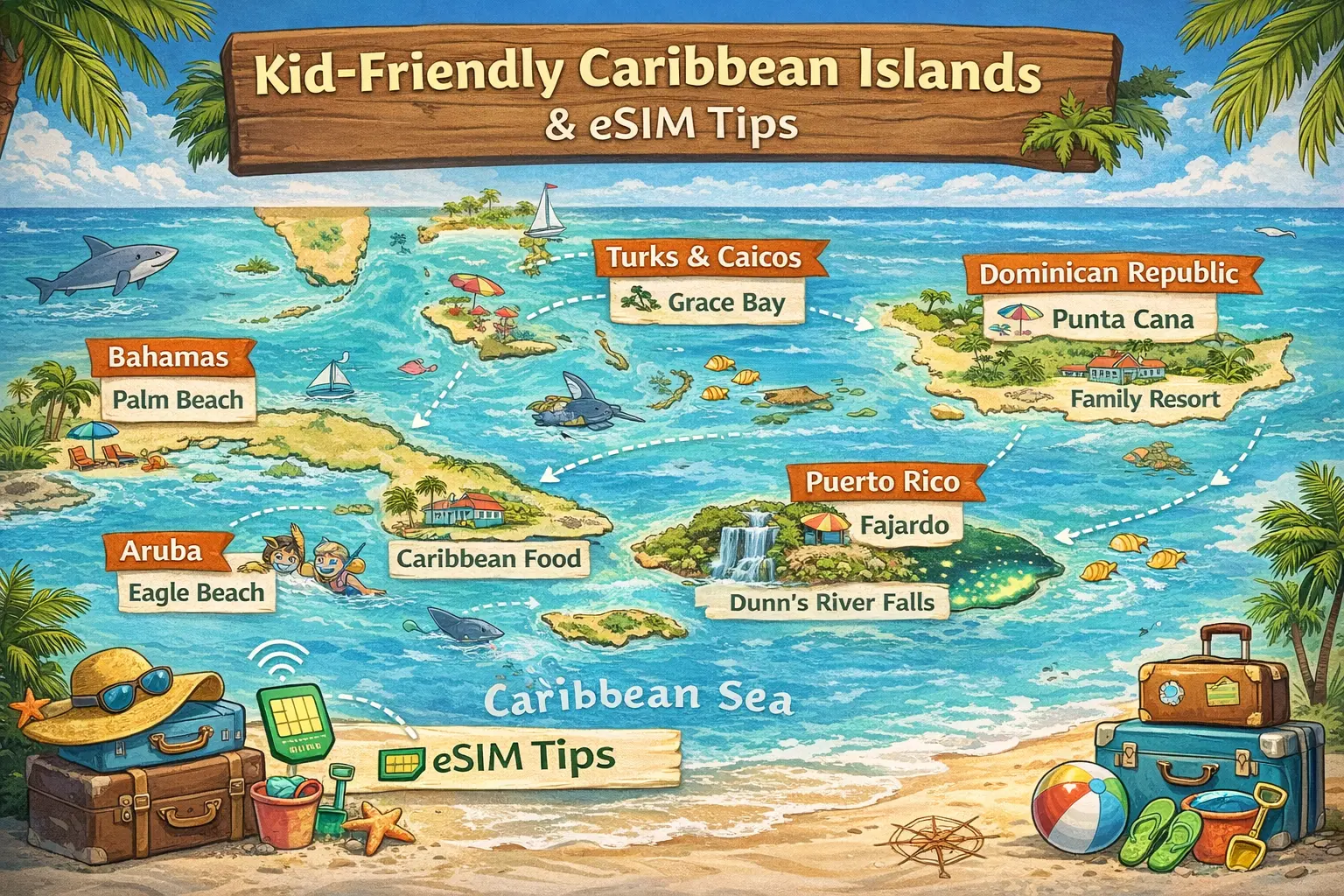
For younger children and first‑time Caribbean visitors, I often recommend Barbados, Aruba, and Turks and Caicos. Barbados’ west coast, around Holetown and Paynes Bay, has gentle water, easy beach access, and family‑friendly resorts with kids’ clubs. In Aruba, Palm Beach and Eagle Beach are famous for calm seas and wide, sandy stretches that are perfect for sandcastle marathons. Turks and Caicos, especially Grace Bay on Providenciales, combines soft sand, shallow turquoise water, and a compact layout where many resorts, restaurants, and supermarkets are within a 10–15 minute drive. These islands also tend to have solid 4G or 5G coverage, which is important if you’re relying on mobile data for family travel rather than expensive hotel Wi‑Fi.
If your kids are older and want more than just beach time, consider Jamaica, Puerto Rico, or the Dominican Republic. In Jamaica, areas like Montego Bay and Ocho Rios offer zip‑lining, river tubing on the White River, and visits to places like Dunn’s River Falls that are a genuine hit with adventurous kids. Puerto Rico adds a cultural layer with Old San Juan’s colorful streets, plus the El Yunque rainforest and bioluminescent bays in Fajardo or Vieques. The Dominican Republic’s Punta Cana region is packed with large all‑inclusive resorts, water parks, and family suites with bunk beds, which can be a lifesaver if you’re trying to keep siblings from fighting over bed space.
Then there are the quieter, under‑the‑radar islands that work well for families who prefer fewer crowds. Antigua, with its 365 beaches, has several sheltered coves like Dickenson Bay and Pigeon Point Beach that are ideal for calm swimming. St. Kitts and Nevis offer a slower pace, with historic sites like Brimstone Hill Fortress mixed with manageable hikes and easy beach days. When I traveled there with friends and their kids, we appreciated that there were fewer giant cruise crowds and that driving between beaches rarely took more than 20–25 minutes. For families who want a mix of nature and comfort, these smaller islands can be a sweet spot.
When you’re comparing the best kid friendly Caribbean islands for families, also look at practical details: direct flight options from your home airport, average transfer time from airport to resort, and availability of supermarkets or pharmacies. A 45‑minute transfer may not sound like much, but with a tired toddler and no snacks, it can feel endless. Similarly, islands with multiple supermarket chains, like Barbados or Puerto Rico, make it easier to grab diapers, baby formula, or gluten‑free snacks if you run out. This is where having reliable data through an eSIM helps too; I’ve used Google Maps and local grocery store apps more times than I can count to quickly locate the nearest pharmacy when a child developed a sudden fever on day two of a trip.
Before You Go: Planning a Connected Caribbean Family Trip
Good family trips in the Caribbean start long before you board the plane. Once you’ve narrowed down your island, start thinking through both logistics and connectivity. One of the biggest stress points I see is families landing with no working phones, trying to find their driver in a crowded arrivals hall. Booking your accommodation, airport transfer, and at least one backup transport option (like a reputable taxi company or ride‑share where available) becomes much easier if you know you’ll have data from the moment you land. A regional guide like the Caribbean winter sun and eSIM tips article can also help you match islands to coverage expectations before you commit.
When planning family travel Caribbean style, map out your first 24 hours in detail. That means having your hotel address saved offline, knowing roughly how long the transfer will take, and having snacks and entertainment ready for kids in case of delays. I always download offline maps for the island in Google Maps and save key locations: your hotel, a nearby supermarket, a 24‑hour clinic, and at least one pharmacy. Even if your eSIM is working perfectly, offline maps give you a buffer if a child accidentally toggles airplane mode or your battery runs low while you’re navigating unfamiliar roads.
This is also the moment to choose your connectivity strategy. You can rely on hotel Wi‑Fi, buy local SIMs on arrival, or set up an international eSIM in advance. For families, eSIMs usually win for three reasons: no hunting for SIM kiosks while juggling luggage, no risk of losing your home SIM card, and predictable, prepaid data. With EasyAlo, for example, you can install the eSIM at home and it only activates when it connects to a Caribbean network, so you don’t waste any validity days before departure. If you’re using an iPhone, pairing this guide with the step‑by‑step iPhone eSIM activation tutorial can make the setup process almost foolproof.
Another underrated planning step is agreeing on family digital rules before you leave. Decide in advance who gets data on their own device, when kids can go online, and what happens if someone burns through the shared allowance on streaming cartoons. In my experience, older kids respond well if you tie data use to responsibilities: for example, the teen who helps with navigation and translation gets extra data for social media. Setting these expectations before you go prevents arguments on day three when someone claims they “didn’t know” TikTok would use that much data.
Finally, check that all devices are ready for international travel. Make sure phones are carrier‑unlocked and eSIM‑compatible, tablets are updated, and kids’ devices have PINs or biometric locks enabled. If you’re planning to work remotely while the kids are at the pool, consider a backup device or hotspot option too. I’ve seen more than one parent end up working from the hotel lobby because their laptop and phone wouldn’t connect at the same time to overloaded resort Wi‑Fi. Having your own eSIM‑powered connection gives you more control and usually far more consistent speeds.
Packing & Essentials for Caribbean Family Travel
Packing for a Caribbean family trip is a balancing act between “we might need this” and “we have to carry all of this.” Beyond the obvious swimwear and sunscreen, there are a few essentials that make a big difference when you’re traveling with kids. I always start with a small “arrival kit” in a separate pouch: travel‑sized sunscreen, a change of clothes for at least one child, basic medications like children’s paracetamol or ibuprofen, hand wipes, and a couple of non‑messy snacks. If your luggage is delayed or your room isn’t ready, you can still get everyone into beach mode without rummaging through multiple suitcases in the lobby.
For tech and connectivity, think through both protection and practicality. Pack a power strip with multiple USB ports, because Caribbean hotel rooms often have limited outlets and you’ll likely be charging several phones, tablets, and maybe a camera each night. Bring at least one high‑capacity power bank (10,000–20,000 mAh) so you’re not stranded with a dead phone halfway through a day trip. Waterproof or water‑resistant phone pouches are worth their weight in gold when you’re hopping between beach, pool, and boat excursions. I’ve seen more than one parent lose their only connected device to a rogue wave or an over‑enthusiastic toddler cannonball.
Another category parents underestimate is kid‑specific gear that reduces complaints. A simple snorkel set that actually fits your child’s face, a rash guard for sun protection, and a lightweight foldable beach tent or umbrella can turn a “too hot, too bright” meltdown into a longer, happier beach day. For younger kids, a small inflatable ring or arm floaties that you’ve tested at home can be more reassuring than unfamiliar rental gear. These items don’t take much space but can save you from having to buy overpriced, low‑quality versions at a resort gift shop where choices are limited.
From a connectivity angle, consider how many devices you truly need to bring. If each child has their own tablet and phone, that’s a lot of screens to manage and charge, and a lot of potential for lost items. Some families intentionally limit devices to one per person, or even one shared family tablet for younger kids, then use an eSIM on the parents’ phones as the main connection. If you’re visiting Mexico before or after the Caribbean, you might also look at regional options like the Mexico eSIM winter sun guide to avoid juggling too many separate plans.
Don’t forget analog backups for those moments when tech fails. A printed copy of your accommodation details, flight information, and travel insurance policy is essential if your phone battery dies or your device is lost. I also like to pack a small notebook and pen; kids can use it to play games, jot down highlights of the day, or draw the fish they saw while snorkeling. These low‑tech distractions are surprisingly useful during times when screens aren’t practical, like on small boats, in bright sun, or during power outages, which still happen occasionally on some islands.
Connectivity & eSIM Tips: Keeping the Whole Family Online Safely
Let’s talk about the heart of modern Caribbean family vacation tips: staying connected without stress. An eSIM is essentially a digital SIM card built into your phone that lets you download a mobile plan for your destination without physically swapping cards. For eSIM for Caribbean travel, this means you can buy and install a data plan from home, then your phone automatically connects to a local partner network when you land in Barbados, Jamaica, or Turks and Caicos. There’s no need to search for a kiosk or hand over your passport at a crowded airport shop while your kids are tugging at your arm.
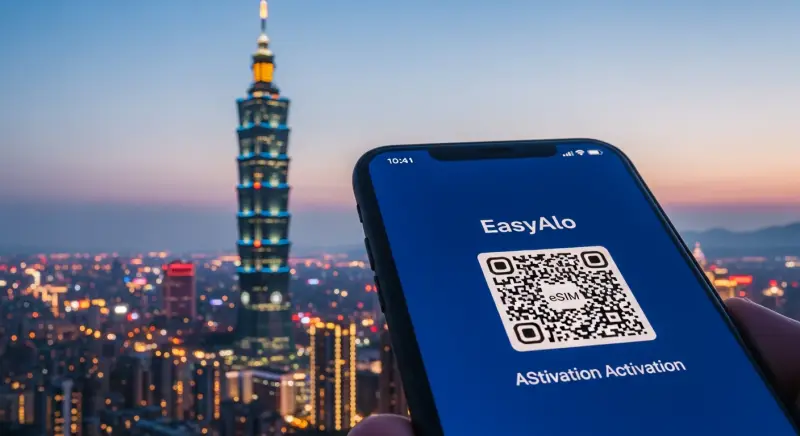
In practical terms, here’s how how to use eSIM in the Caribbean with kids usually looks. A few days before departure, you purchase a Caribbean‑compatible eSIM plan from a provider like EasyAlo, scan the QR code, and install the profile on your phone’s eSIM slot. You keep your home SIM active for calls and texts if needed, but switch mobile data to the eSIM in your settings. As soon as your plane lands and you turn off airplane mode, your phone registers with a local network and your data starts working. Within minutes, you can message your airport transfer, load Google Maps, or check your hotel’s check‑in instructions.
Families often ask, “Can I use one eSIM data plan for my whole family?” Technically, each physical device needs its own eSIM profile, but you can share one phone’s data with others using your phone’s hotspot feature. For example, you might buy a higher‑data plan for one parent’s phone, then let kids’ tablets or a second phone connect through Wi‑Fi tethering. This can be more cost‑effective than buying separate smaller plans for each device, especially if you manage usage carefully. Just remember to secure your hotspot with a strong password and turn it off when not in use to avoid accidental data drains or nearby devices trying to connect.
Coverage and speeds vary by island, but in my experience most popular family destinations offer at least 4G LTE in resort areas and towns, with 3G or better in more remote spots. If you’re planning to work remotely or your kids will be streaming video, it’s worth checking your provider’s coverage notes for specific islands in advance. EasyAlo, for instance, lists partner networks and typical speeds so you can set realistic expectations. If you ever run into issues, resources like the eSIM troubleshooting quick fixes guide can help you sort out common problems like profiles not activating or data not flowing after you land.
For parents, the bigger question is often how to keep kids safe online when traveling with eSIM. Start by enabling parental controls on both the operating system and key apps before you leave home, when you have time and good Wi‑Fi. On iOS, Screen Time lets you set content restrictions, app limits, and downtime hours; on Android, Google Family Link offers similar features. Combine this with app‑specific settings in YouTube Kids, Netflix, and games your children use. Then, tie all of this to your data plan: explain clearly that data is not unlimited, and that certain activities like HD streaming or large downloads are off‑limits on mobile data and must wait for hotel Wi‑Fi.
Choosing the best eSIM data plan for Caribbean family vacation depends on your style. If you’re heavy on maps, messaging, and occasional web browsing, 3–5 GB per week per family is often enough, especially if you lean on hotel Wi‑Fi in the evenings. If you know your teens will be posting stories, video‑calling friends, and streaming music, consider 10–15 GB for a 7–10 day trip, shared via hotspot. I usually recommend starting with a bit more data than you think you’ll need, because topping up mid‑trip is easy but running out repeatedly can be frustrating and distracting when you’re supposed to be enjoying the beach.
On‑the‑Ground Tips: Moving Around the Islands with Kids
Once you arrive, the rhythm of your Caribbean family trip will depend on how you move around and how you handle those inevitable little hiccups. At the airport, resist the urge to rush. Take five minutes while still on the plane or at the gate to confirm your eSIM is active, your hotel address is correct in your maps app, and your chosen messaging app (WhatsApp, iMessage, Signal) is working over data. This quick check means that if you get separated from your partner while juggling luggage and kids in the arrivals hall, you can immediately message each other rather than wandering around in a panic.
Transportation is where connectivity really shines. If you’ve booked a rental car, use your phone’s navigation rather than relying solely on printed directions. Caribbean signage can be inconsistent; I’ve missed more than one turn in Barbados or Antigua because a crucial sign was hidden behind a tree or simply not there. With reliable data, you can also check live traffic if you’re heading to a popular beach or attraction, which helps avoid cranky kids stuck in a taxi for an extra 30 minutes. For islands where driving feels intimidating, like those with left‑hand traffic or narrow mountain roads, use your eSIM connection to compare taxi fares, check ride‑share availability where legal, or confirm rates with your hotel concierge via messaging.
Daily routines matter too. Many parents find it helpful to plan one major activity in the morning—like a boat trip, snorkeling excursion, or visit to a historic site—followed by a slower afternoon at the pool or beach. Use your connected phone to check weather patterns and sea conditions; for example, in hurricane season or during winter swells, certain beaches can be rougher and less suitable for younger kids. Local news sites and marine forecasts, which you can access easily with your eSIM, give you more up‑to‑date information than a generic hotel notice board.
Safety on the ground is a mix of common sense and smart use of tech. Share your live location with a trusted adult back home or between parents when you split up for different activities, like one adult taking the older kids on a snorkeling trip while the other stays at the pool with a toddler. Teach older kids how to use messaging apps over data to contact you if they get turned around in a resort or at a large attraction. In larger islands with more urban areas, such as Puerto Rico or the Dominican Republic, having data also lets you quickly check which neighborhoods are recommended for tourists and which to avoid at night.
If you’re combining the Caribbean with a stopover elsewhere, like the UK or Europe, think about how your connectivity plan will span the entire route. Some families use a regional Caribbean eSIM plus a separate plan for Europe, such as an eSIM for the United Kingdom if they’re flying through London. Planning this in advance prevents that awkward layover moment where you suddenly realize your Caribbean‑only plan doesn’t work in your transit country and you can’t pull up your boarding passes.
Money‑Saving Tips for Caribbean Family Trips (Including Data)
Caribbean family trips can get expensive quickly, but there are plenty of ways to control costs without feeling like you’re cutting out all the fun. Start with dates and flexibility: traveling in shoulder seasons (late April to early June, or September to early November, avoiding major storm peaks) often brings lower hotel rates and flight prices. For islands heavily influenced by US school holidays, shifting your trip by just a week or two can sometimes save hundreds of dollars on airfare alone. Once you’ve locked in dates, look for accommodations with kitchenettes; even making simple breakfasts and a few lunches in your room can cut your food budget by 30–40% over a week.
On the ground, one of the biggest hidden expenses is transport. Taxis on some islands, like Barbados or St. Lucia, can be pricey for longer distances, especially if you’re paying per person. If you’re comfortable driving, renting a car for a few days can be cheaper and gives you the freedom to explore multiple beaches and local food spots. Use your eSIM connection to compare prices across rental agencies and to navigate to cheaper supermarkets rather than relying on resort shops. I’ve saved substantial amounts simply by driving 10 minutes to a larger supermarket instead of buying snacks and sunscreen at a hotel boutique.
Data costs are another area where planning pays off. Roaming on your home carrier in the Caribbean can easily cost $10–15 per day per line, which adds up fast for a family. An eSIM plan tailored to your destination typically offers a fixed amount of data—for example, 5 GB or 10 GB—for a set price, often saving 40–60% compared to daily roaming rates. If you’re also visiting Europe at another time of year, you can see the same pattern in places like Greece, where guides on affordable data plans for Greece highlight just how much cheaper prepaid eSIMs are than pay‑as‑you‑go roaming from home carriers.
To stretch your data further, download as much as possible over Wi‑Fi before you leave and at your hotel. That includes offline maps, kids’ shows, playlists, and even digital guidebooks. Turn off automatic app updates and cloud backups over mobile data, and disable background refresh for non‑essential apps. I also recommend setting data warnings or limits in your phone’s settings so you get an alert before you hit your cap. For families sharing a hotspot, make it a routine to check daily usage each night; this five‑minute check can prevent the “we used it all in three days” surprise.
Finally, save on activities by mixing paid excursions with free or low‑cost experiences. Many islands have public beaches that are just as beautiful as private resort stretches, especially if you arrive early in the morning. Use your connected phone to search local forums or social media groups for tips on family‑friendly spots, like a quieter cove with tide pools or a playground near the beach. When you do book tours, compare prices directly with local operators as well as through your hotel; sometimes the hotel markup is significant, and a quick search with your eSIM can reveal better deals that are still reputable and safe.
eSIM Safety & Kid Protection: Practical Steps That Actually Work
Beyond saving money and hassle, the right approach to connectivity can make your kids safer, both online and offline. The first step is device security. Make sure every device—parents’ and kids’—has a lock screen enabled, ideally with a PIN that’s not a birthday and, for older kids, biometric unlock like Face ID or fingerprint. If a phone or tablet gets lost at the beach or in a taxi, a locked device protects not just your data, but also your eSIM profile and any stored payment methods. Turn on “Find My” (Apple) or “Find My Device” (Android) and test it before you travel so you know how to locate or remotely wipe a device if needed.
Next, tackle online safety head‑on. Decide which apps your kids can use on mobile data and which are Wi‑Fi only. For example, you might allow messaging apps and maps on data, but restrict YouTube and gaming to hotel Wi‑Fi, where you can supervise more easily. Use your phone’s settings to restrict in‑app purchases and downloads, and remove saved credit cards from app stores on kids’ devices. I’ve seen parents come home to hundreds of dollars in surprise charges because a bored child discovered a new game while waiting in an airport lounge.
Talk to your kids about public Wi‑Fi as well. Even though you’ll have an eSIM, they may still be tempted to connect to random open networks at cafes or airports. Explain that using your secure mobile data is usually safer than joining unknown networks, which can be targets for data snooping. If you or your teens need to access sensitive accounts, like online banking or work email, consider using a VPN on top of your eSIM connection for an extra layer of protection. This is especially relevant if you’re combining your Caribbean trip with work commitments and logging in from different locations.
For younger kids, consider an international eSIM for kids strategy where only parents’ phones have full data access, and kids’ devices either stay offline or connect via a controlled hotspot. This way, you can physically control when and where they’re online. For older teens who may want more independence, use parental control tools to set time limits and content filters, but also have an honest conversation about digital footprints, location sharing with friends, and what to do if they feel uncomfortable online while away from home.
Finally, remember that safety is also about redundancy. If you’re relying heavily on your eSIM for navigation, communication, and bookings, have at least one backup plan. That might be a second device with a smaller data plan, a printed list of important numbers and addresses, or even a basic local SIM as a fallback if something goes wrong with your main phone. While modern eSIM services are reliable, networks can have outages and phones can break. Having a Plan B means that a cracked screen or unexpected glitch doesn’t derail your entire family vacation.
Conclusion: Building a Smarter, Safer Caribbean Family Trip
Putting it all together, successful family travel Caribbean style is really about reducing friction. Choosing genuinely kid‑friendly islands, planning the first 24 hours in detail, packing smart, and setting up an eSIM in advance all work together to remove the most common stress points: getting from airport to hotel, keeping everyone entertained and safe, and avoiding surprise bills. Instead of spending your first afternoon hunting for a SIM card or arguing about who used all the data, you can be in the pool, cocktail or juice in hand, while your phone quietly does its job in the background.
If you remember nothing else, focus on three pillars: pick an island that matches your kids’ ages and energy levels, set clear digital rules and protections before you leave, and choose a reliable eSIM for Caribbean travel so you’re never stuck offline at the worst possible moment. From there, you can fine‑tune details like how much data to buy, whether to share it via hotspot, and which parental controls make sense for your family. If you’re curious about connectivity in other destinations you might combine with the Caribbean, resources like the Turkey eSIM guide or regional Europe options show how the same principles apply worldwide.
Ultimately, the goal is simple: you want your kids to remember turquoise water, new foods, and shared adventures—not stressed‑out parents hunched over a hotel lobby computer trying to fix a roaming problem. With a bit of upfront planning and a thoughtful approach to travel tech for family vacations, your Caribbean trip can feel less like a logistical challenge and more like the easy, sun‑soaked break you’ve been dreaming about.